Step 1: Create an Account and Purchase a Proxy
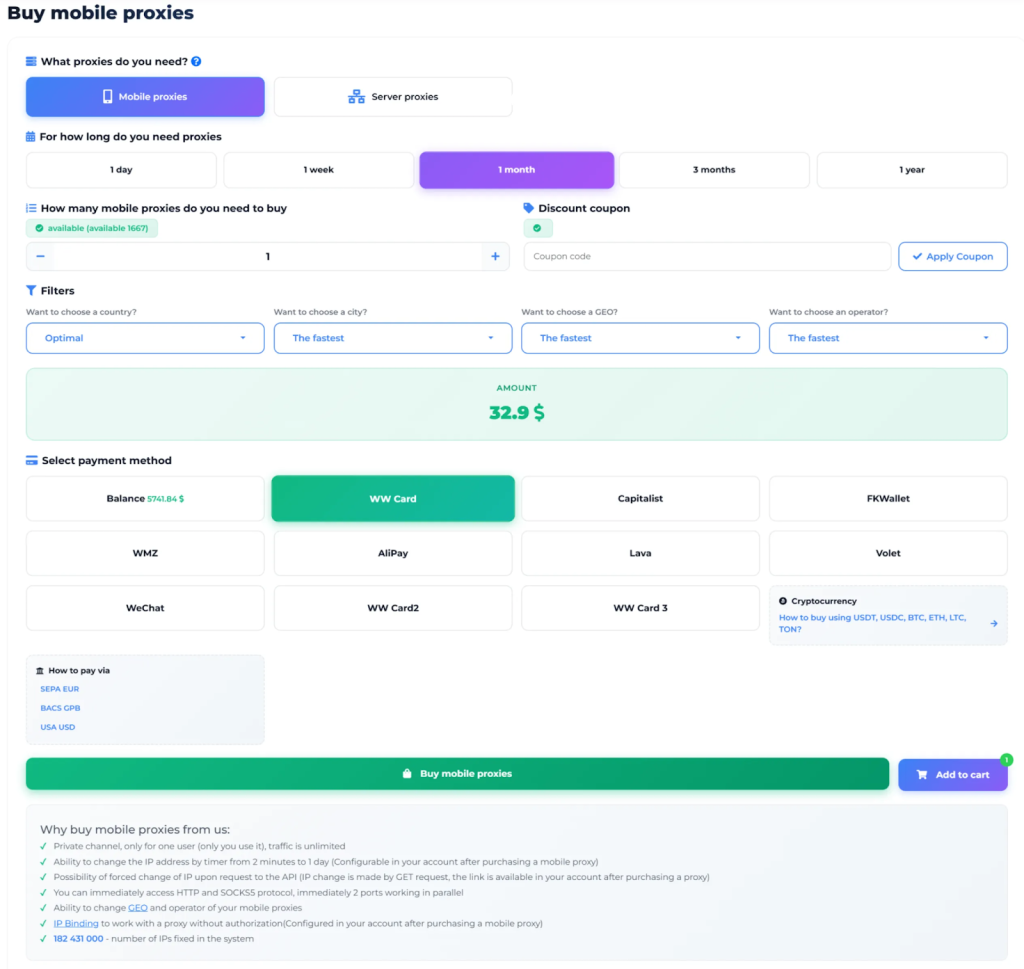
1. Open the MobileProxy.Space website and click "Sign Up" to create your account.
Use promo code xlogin to get a 20% discount on your first purchase at MobileProxy.Space.
2. After registration, go to your Dashboard. Select the desired country and plan duration (1 day, 7 days, 30 days, 3 months, or 1 year), then complete the purchase. You can also start with a free trial to test the service before buying.
Step 2: Get Your Proxy Connection Details
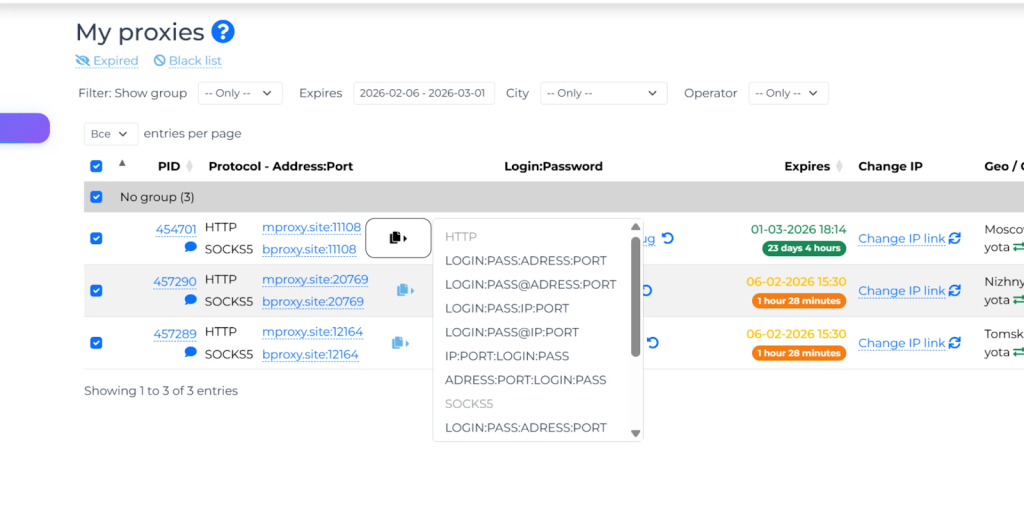
3. In your Dashboard, locate your active proxy. You will see all the connection credentials you need:
- HTTP Host: mproxy.site
- SOCKS5 Host: bproxy.site
- Port: displayed in your dashboard for each proxy
- Login: your proxy username
- Password: your proxy password
You can also find the IP change link (API URL) which allows you to rotate your IP address instantly at any time.
Step 3: Open XLogin and Configure the Proxy
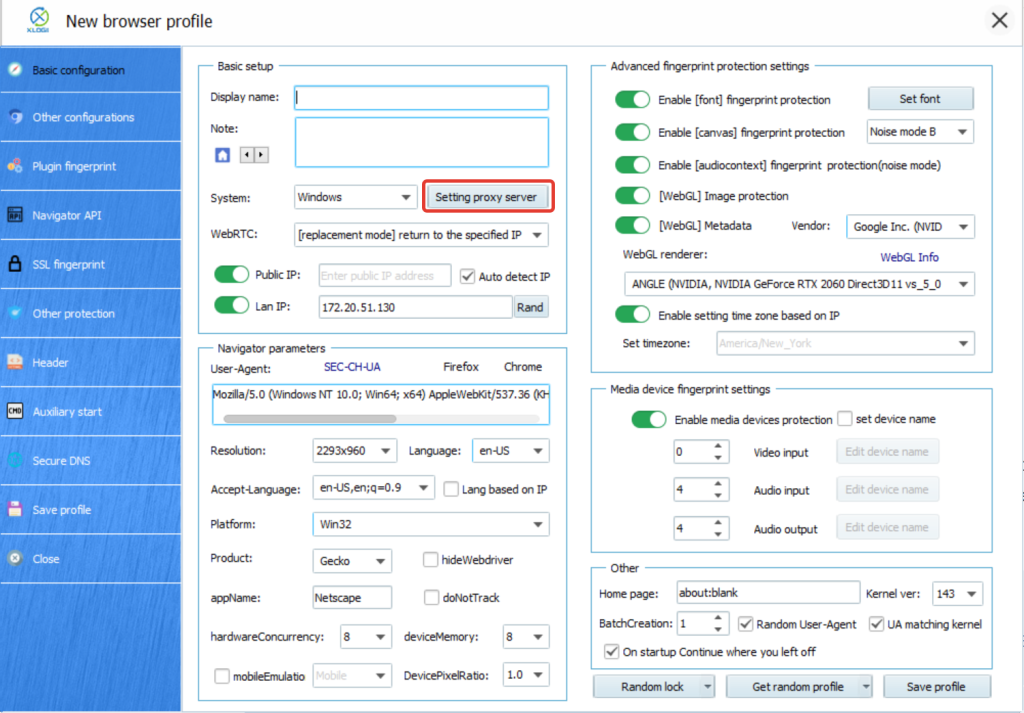
4. Open XLogin and create a new browser profile or select an existing one. Click "Setting proxy server" to open the proxy configuration window (Free Trial available).
Step 4: Enter the Proxy Settings
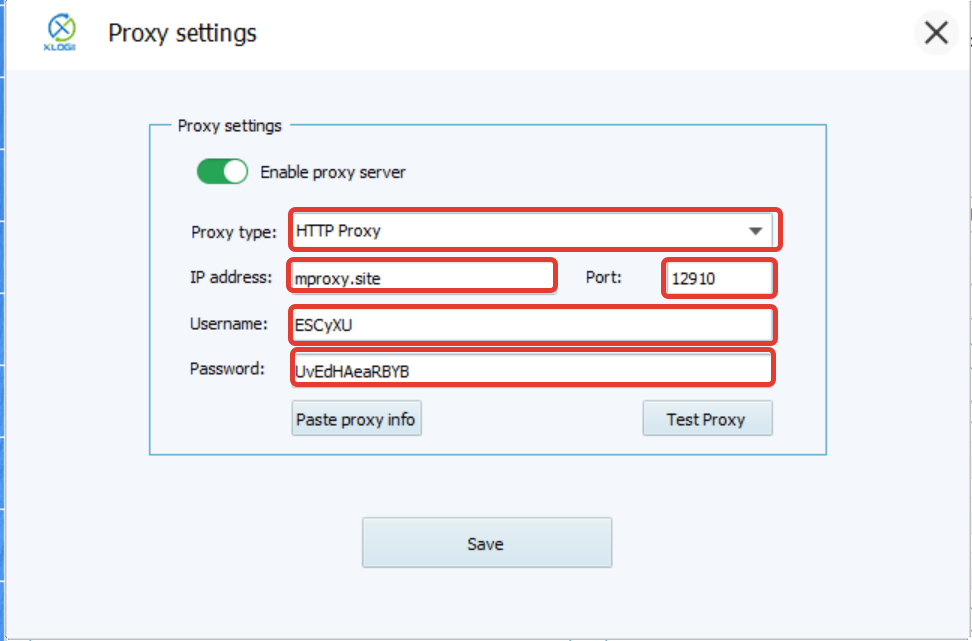
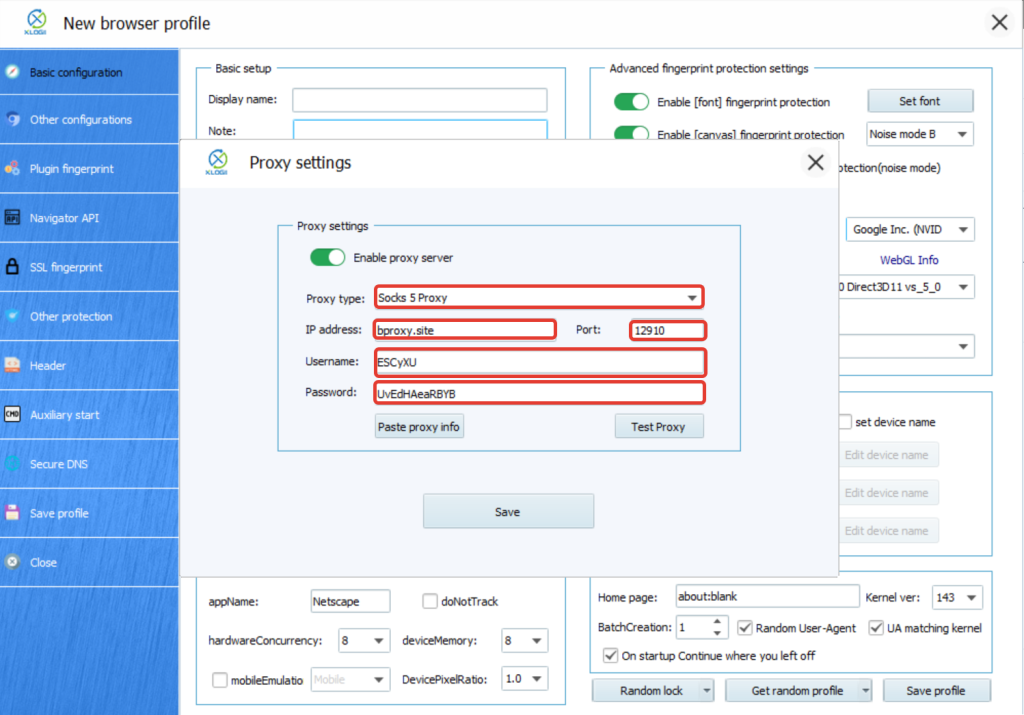
5. In the proxy settings window, configure the connection using your MobileProxy.Space credentials.
For HTTP Proxy:
- Proxy Type: HTTP
- IP Address: mproxy.site
- Port: your port number from the MobileProxy.Space dashboard
- Username: your proxy login
- Password: your proxy password
The paste format is: mproxy.site:Port:Username:Password
For SOCKS5 Proxy:
- Proxy Type: SOCKS5
- IP Address: bproxy.site
- Port: your port number from the MobileProxy.Space dashboard
- Username: your proxy login
- Password: your proxy password
The paste format is: bproxy.site:Port:Username:Password
Step 5: Test and Save the Proxy
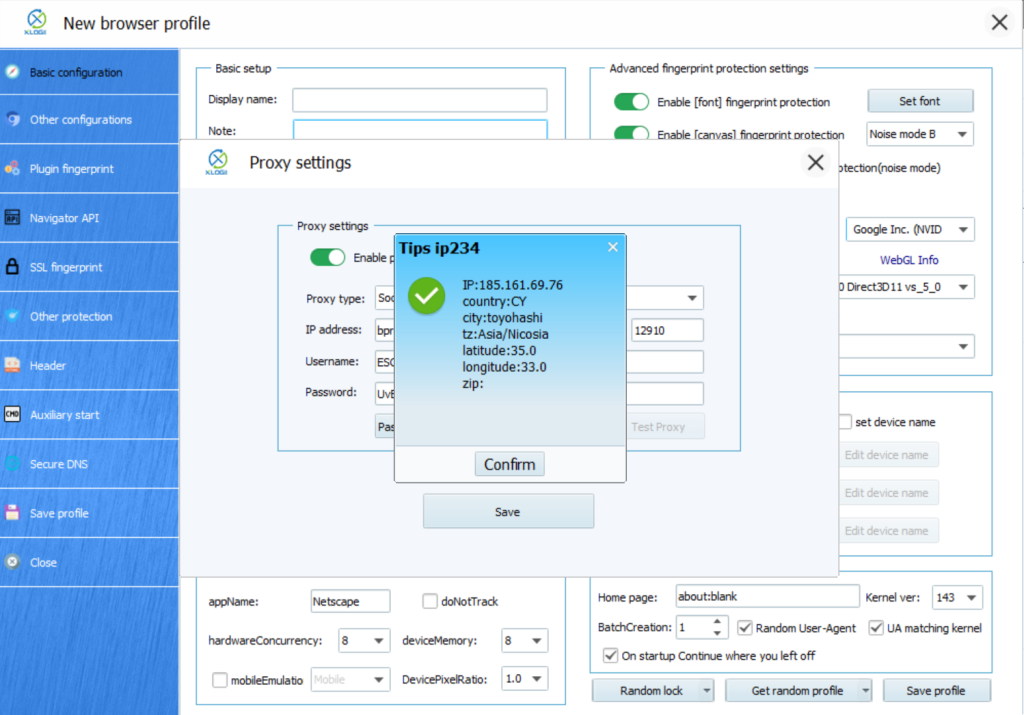
6. Click "Test Proxy". If the connection is successful, XLogin will display the proxy IP information including the country and IP address. Click "Save" to apply the settings.
7. You can now open the browser profile and start working through your private mobile proxy.
XLogin browser software has no proxy IP service, users need to purchase proxy IP from a third party. Third-party platforms provide proxy-related tutorials and are not related to the XLogin. Users are strictly prohibited from using XLogin to engage in any illegal and criminal activities, and users are responsible for the relevant responsibilities caused by using XLogin.