XLogin client -> Browser profile -> Group list -> Select “Group” and right-click -> Click “Edit group information” -> Modify the group information -> Save settings.
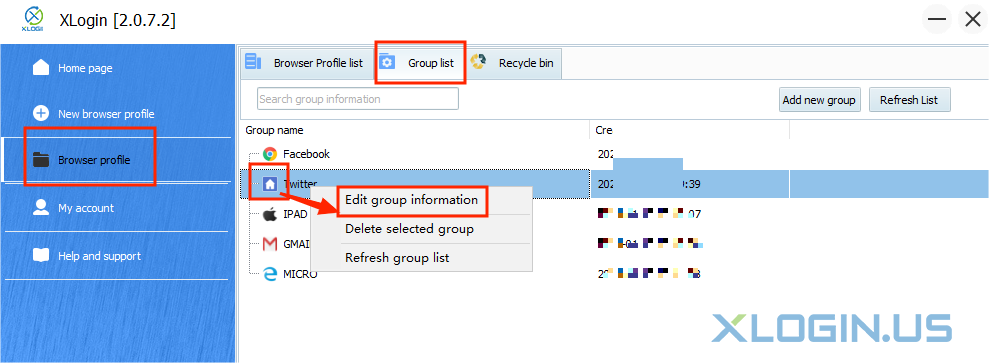
XLogin client -> Browser profile -> Group list -> Select “Group” and right-click -> Click “Edit group information” -> Modify the group information -> Save settings.